Garage Management Software: From Paper Job Cards to a Connected Workshop
How digital job cards, inspections, inventory, billing and customer history can work together across modern automotive workshops and service businesses.
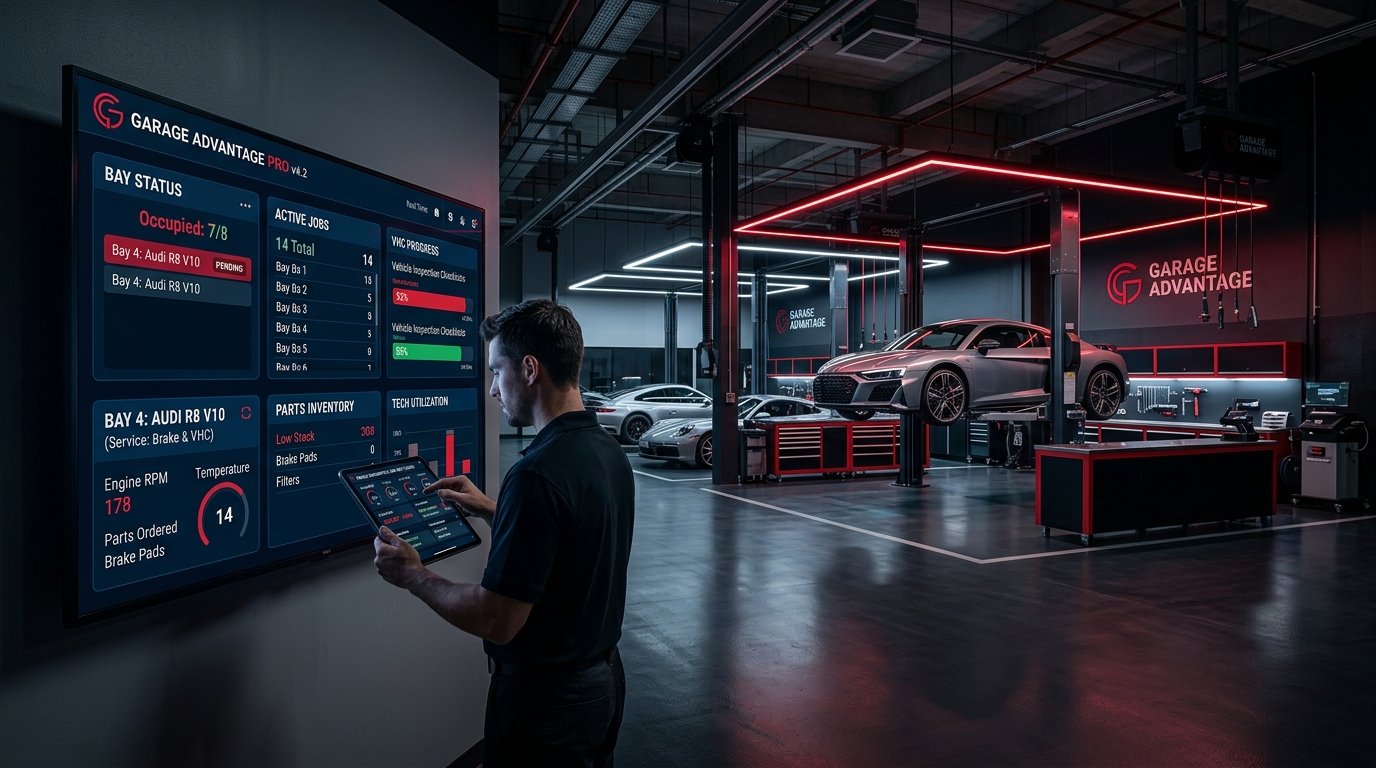
Many automotive workshops still coordinate daily operations through a mixture of paper job cards, spreadsheets, phone calls and messaging applications. Each tool solves a small part of the day. Together, they make it difficult to see the complete status of a vehicle, a technician, a part or a customer commitment.
Garage management software creates one connected operational record from appointment to vehicle delivery. The objective is not simply to replace paper with a screen. It is to make work visible, traceable and easier to coordinate.
The same foundation can support independent garages, multi-brand workshops, service centres, detailing studios, mobile teams, car washes, fleet-service providers and multi-branch automotive businesses. Workflows vary, but the need for clear ownership and reliable records is consistent.
Why paper and disconnected tools stop scaling
Paper job cards are familiar and flexible, but they are difficult to search, share and report on. A spreadsheet may track appointments while a separate notebook tracks parts. Customer approvals remain in message threads, and the invoice may contain information typed again from the job card.
This creates predictable problems:
These are not merely administrative inconveniences. They affect throughput, accountability, customer confidence and the owner’s ability to understand the business.
The digital job card is the operational core
A digital job card connects the customer, vehicle, reported concern, inspection, approved work, assigned technician, parts, labour and final invoice.
A strong job-card workflow should support:
The record should follow the vehicle through the complete service journey. Staff should not need to recreate the same information in several systems.
A connected workshop workflow
The workshop records the requested service, preferred time, customer and vehicle before arrival. Walk-in customers can be added through the same controlled process.
Staff capture condition, observations, measurements, checklists and supporting images. This creates a clearer basis for recommendations and customer discussion.
Parts, labour and additional work are prepared in a structured estimate. The system records what the customer approved and when, reducing uncertainty during billing.
Work is assigned to a technician, bay or team. Statuses such as waiting for approval, waiting for parts, in progress, quality check and ready for delivery make bottlenecks visible.
Parts reserved or consumed through the job update inventory. Reorder thresholds and stock movement improve purchasing visibility.
Approved work, parts and labour flow into the invoice. Payment status is linked to the same customer and vehicle record.
The completed job becomes part of the vehicle’s history. The workshop can support reminders, loyalty activity and more informed service during future visits.
What management gains
A workshop management system should create useful operational visibility rather than only digitised forms.
Owners and managers may need to understand:
The exact dashboard depends on the operating model. The principle is the same: management information should come from the work itself, not from a separate reporting exercise.
Customer communication without additional admin
Customers want to know what is happening, what it will cost and when the vehicle will be ready. Automated updates can support this expectation when they are connected to real workflow states.
A status message should not be triggered simply because a fixed amount of time has passed. It should reflect an actual event such as estimate ready, approval required, work started or vehicle ready. Communication becomes more accurate because the operational system is the source.
Choosing automotive workshop software
Look beyond the feature list. Evaluate how the platform handles the complete journey and everyday exceptions.
Ease of adoption matters. Software that requires excessive duplicate entry will be bypassed during busy periods, and the data will quickly become unreliable.
Implementing a workshop management system
Map the current workflow
Document how appointments, inspections, approvals, assignments, parts, billing and delivery happen today. Include exceptions, not only the ideal process.
Standardise essential data
Agree on service statuses, job types, inspection categories, user roles and inventory units. Inconsistent definitions create inconsistent reporting.
Begin with one complete journey
Implement appointment or intake through job completion and billing for a defined team or branch. A complete pilot creates better learning than digitising several disconnected forms.
Train by role
Service advisers, technicians, cashiers, inventory staff and managers need different views and responsibilities. Training should use realistic workshop scenarios.
Review adoption and data quality
Monitor incomplete records, skipped stages, delayed updates and duplicate data. Improve the workflow before expanding automation.
Expand carefully
Add customer portals, loyalty, advanced analytics, integrations or AI-assisted features after the operational foundation is stable.
Smart Garage by Aurae
Smart Garage is Aurae’s automotive workshop and job-card platform designed to connect daily service operations in one system. Its capabilities include customer and vehicle management, appointments, digital job cards, vehicle inspections, inventory, billing, loyalty, analytics and intelligent automation.
The platform is intended to support general automotive service operations rather than only one service category. This gives workshops a foundation that can evolve with their processes, teams and locations.
The bottom line
Digital transformation in a workshop does not begin with a dashboard. It begins when every important service event becomes part of one reliable operational record.
Garage management software connects the work already happening across the business. When appointments, digital job cards, inspections, parts, billing and customer history share the same workflow, teams spend less effort reconstructing information and more effort delivering dependable service.
RECOMMENDED NEXT STEP
Request a Smart Garage Demo
Request a Smart Garage Demo — link to /contact or the relevant product enquiry form.
QUESTIONS & ANSWERS
Frequently Asked Questions
What is garage management software?
Garage management software is a digital platform for coordinating workshop operations such as appointments, vehicle records, job cards, inspections, technician assignments, inventory, billing and reporting.
What is a digital job card?
A digital job card is the central service record for a vehicle. It captures the customer request, inspection findings, approved work, assigned staff, parts, labour, progress and completion details.
Can workshop software support multiple branches?
Yes, if the product includes tenant or branch controls, role-based access, shared standards and consolidated reporting while preserving appropriate operational boundaries.
Is garage management software only for large workshops?
No. Smaller workshops can benefit from searchable service records and connected billing, while larger businesses may also need inventory, branch, role and analytics capabilities. The implementation should match the operation’s complexity.
How should a workshop prepare for implementation?
Map the current service journey, agree on standard statuses and roles, clean essential customer and vehicle data, and pilot one complete workflow before expanding.
SOURCES & BACKGROUND
Authoritative References
These references support the technical concepts. The article should retain original Aurae analysis rather than reproduce source wording.
- ▪Aurae Software Solutions — Products
- ▪Aurae Software Solutions — LinkedIn